

Check Active Policies
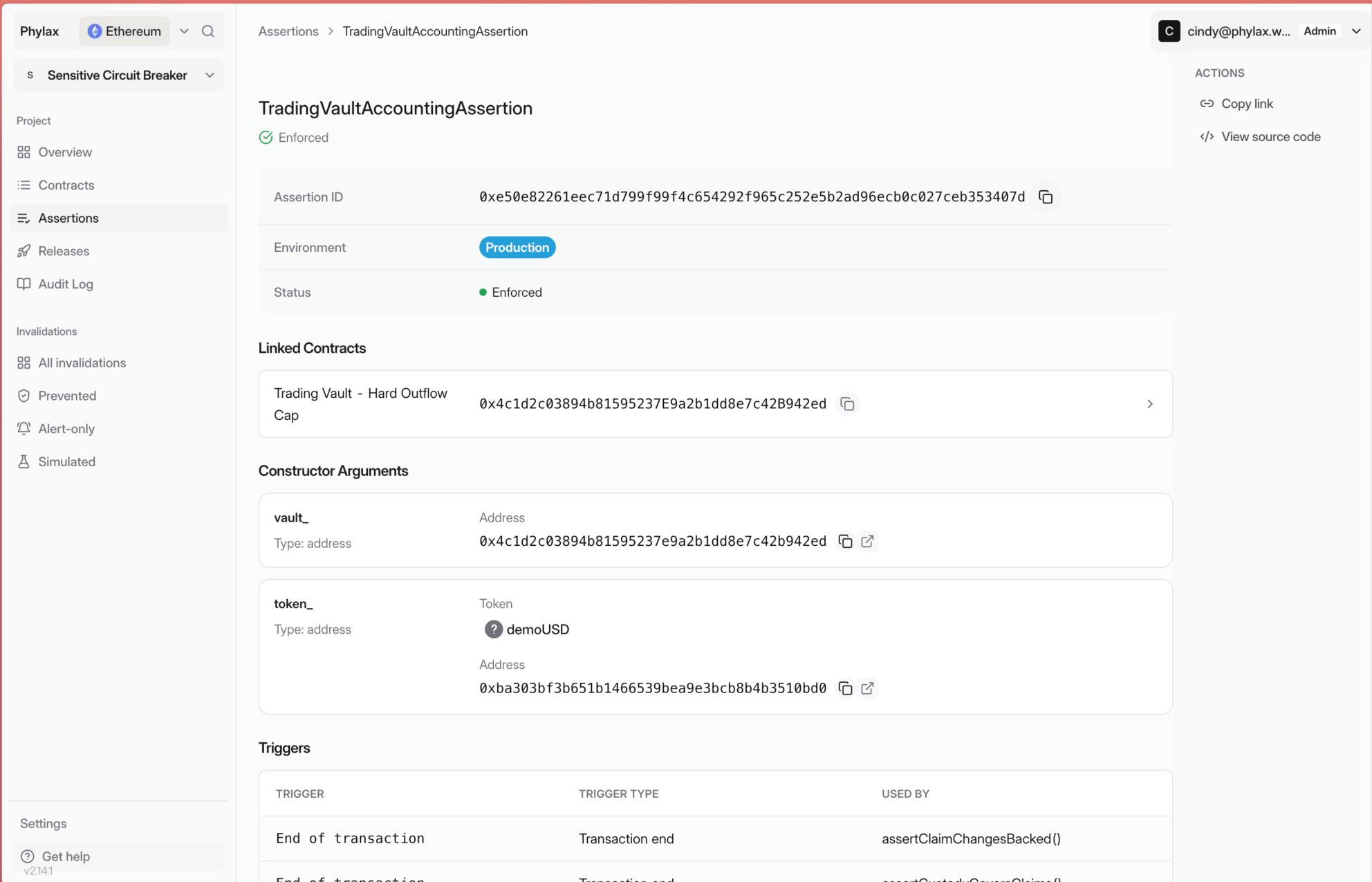
Open Assertions to review circuit-breaker activity against its window and threshold. Select an assertion to check its enforcement status and linked contracts.- Circuit Breakers
- Assertion Details
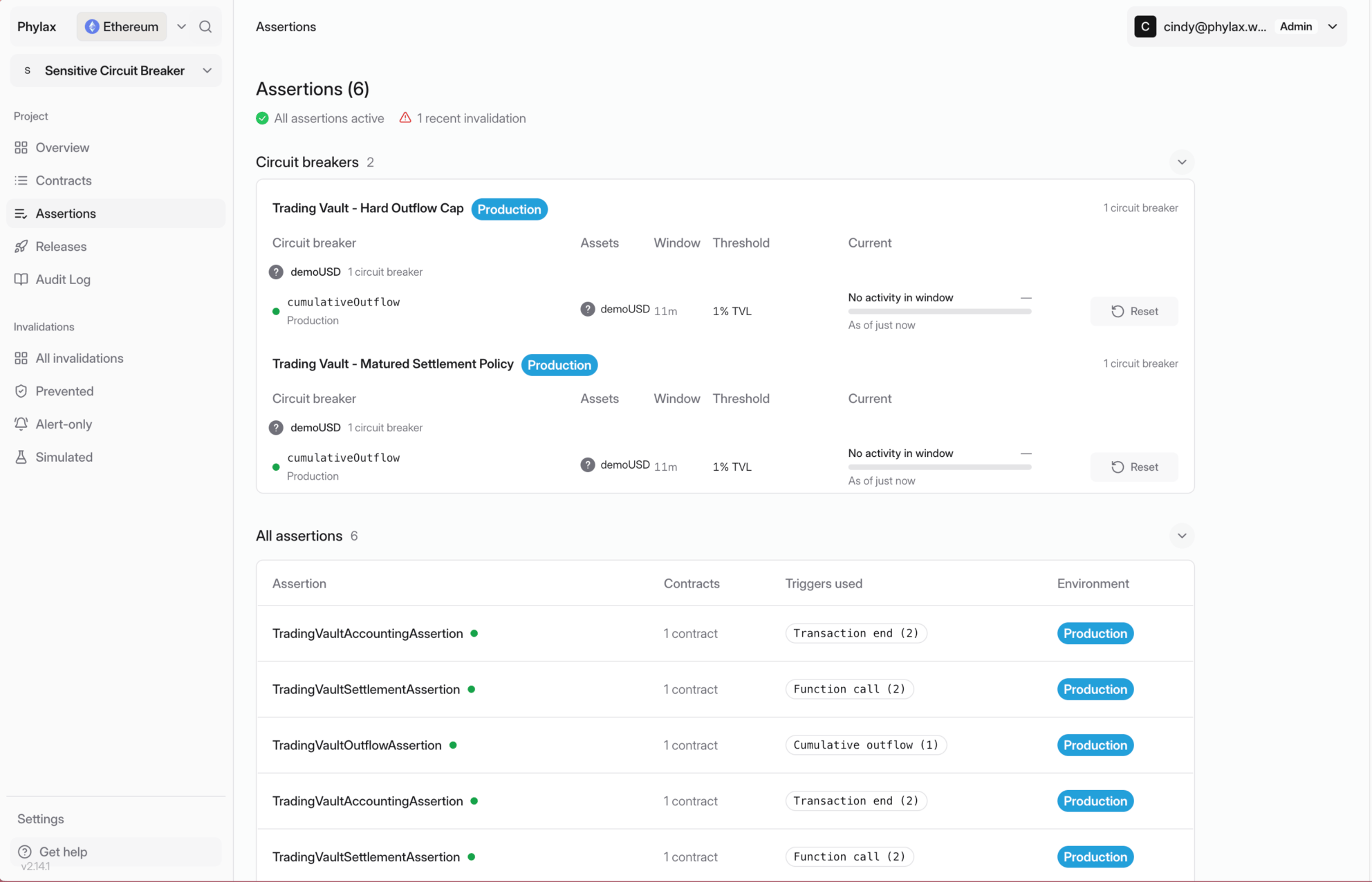
Review each circuit breaker's environment, window, threshold, and current activity
Review a Release
Open the release marked Needs Review under Latest Releases on the project overview, or select it under Releases → Needs your review. All passed reports completed checks; the release still needs your review and deployment authorization.- Project Overview
- Releases
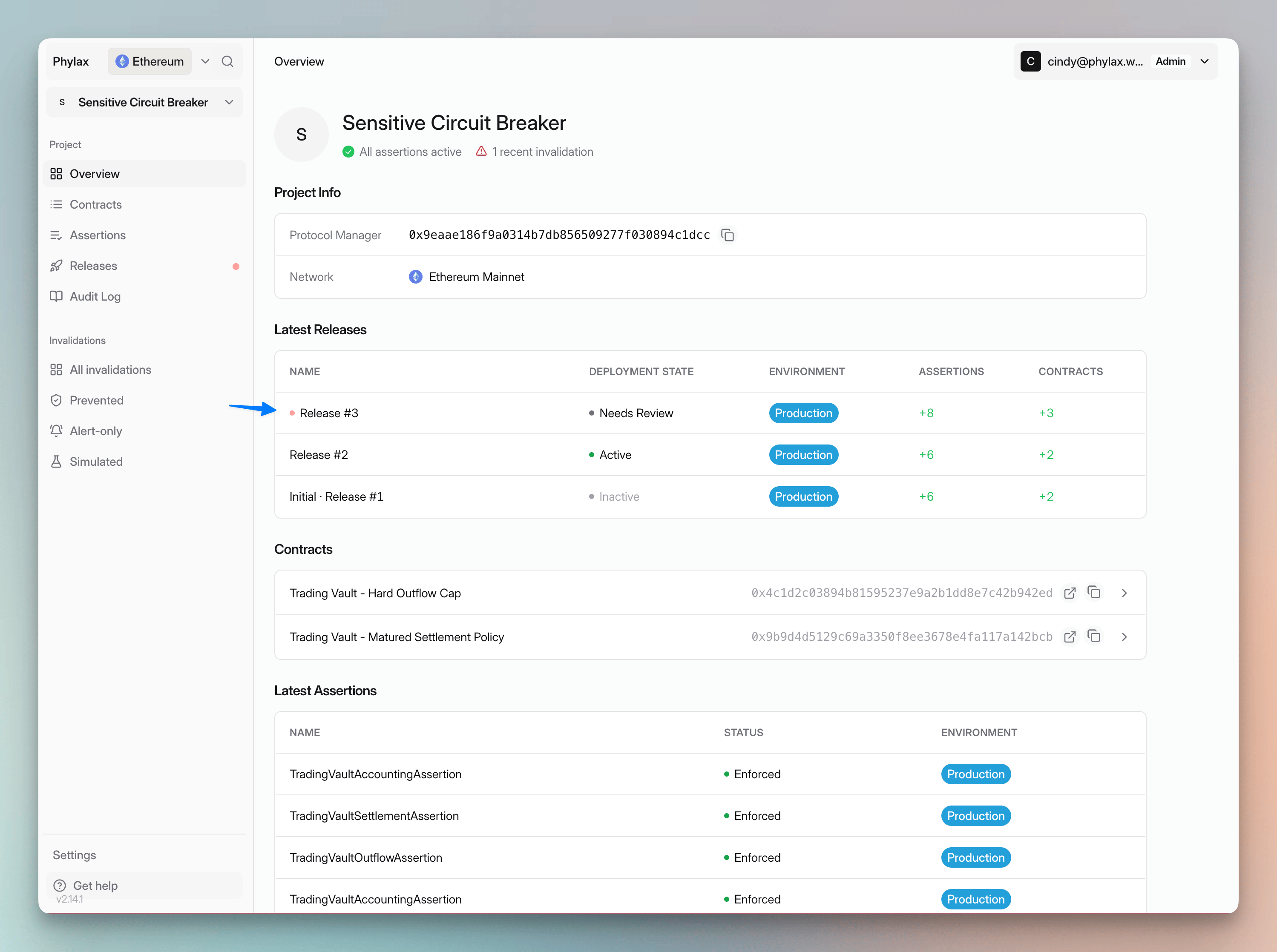
Open the new release marked Needs Review
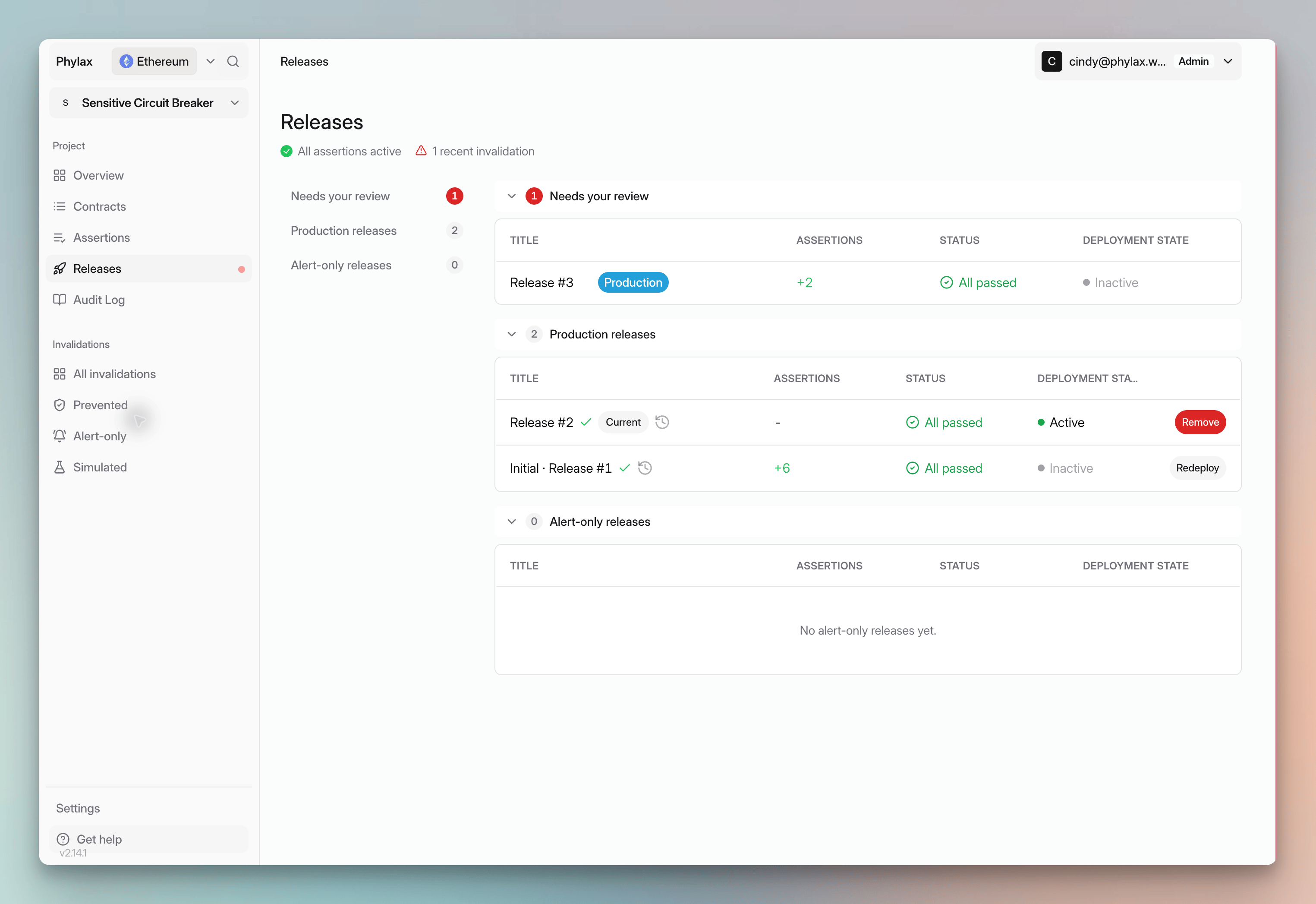
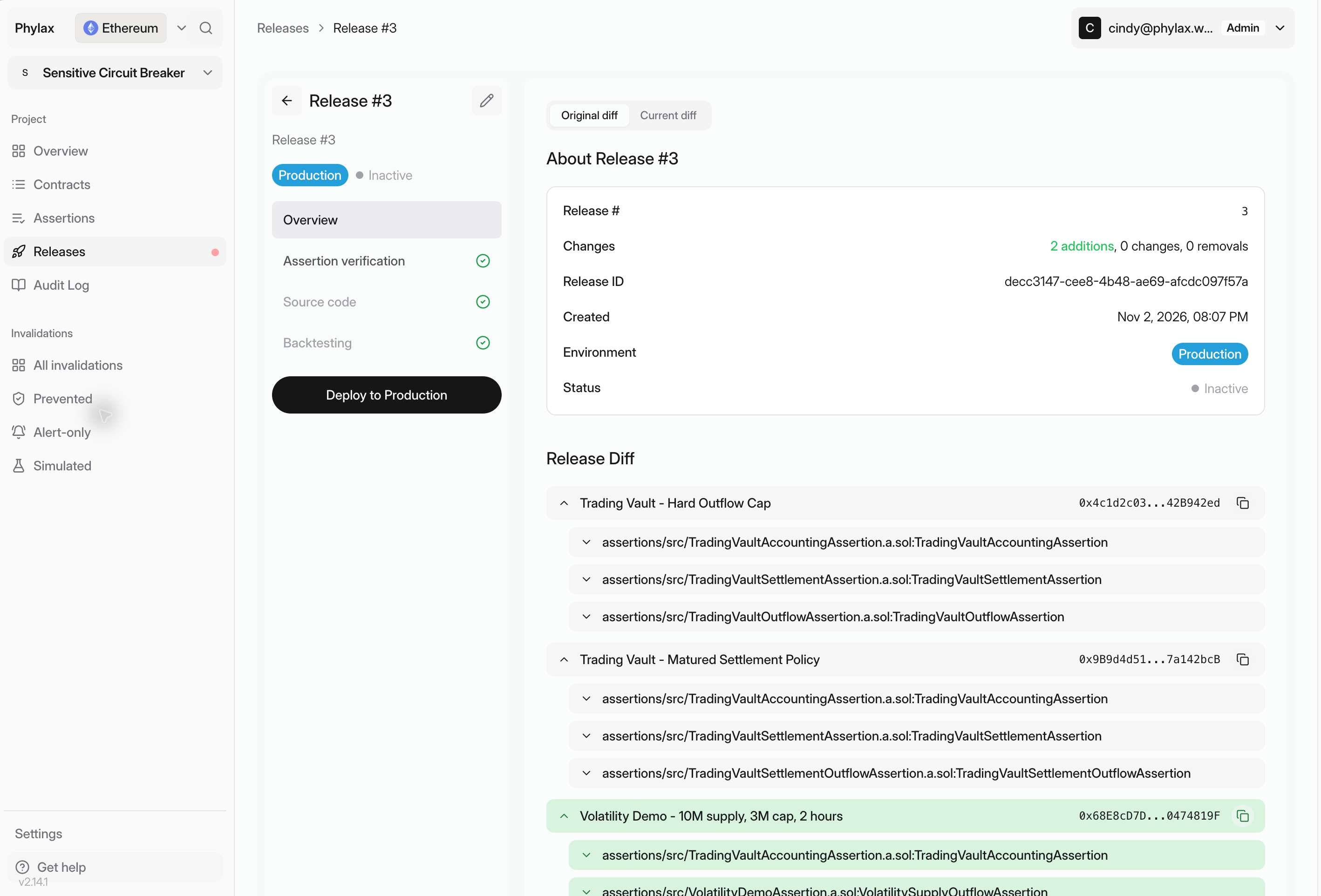
Review the release contents and completed checks before selecting Deploy to Production
Authorize the Change
- Connect your assigned Protocol Manager and confirm the release’s environment.
- Select Deploy to Production for the production release shown here.
- Review and authorize the transaction in your wallet. For a multisig, collect the required approvals and execute it.
- Wait for transaction confirmation, then check activation in the platform.
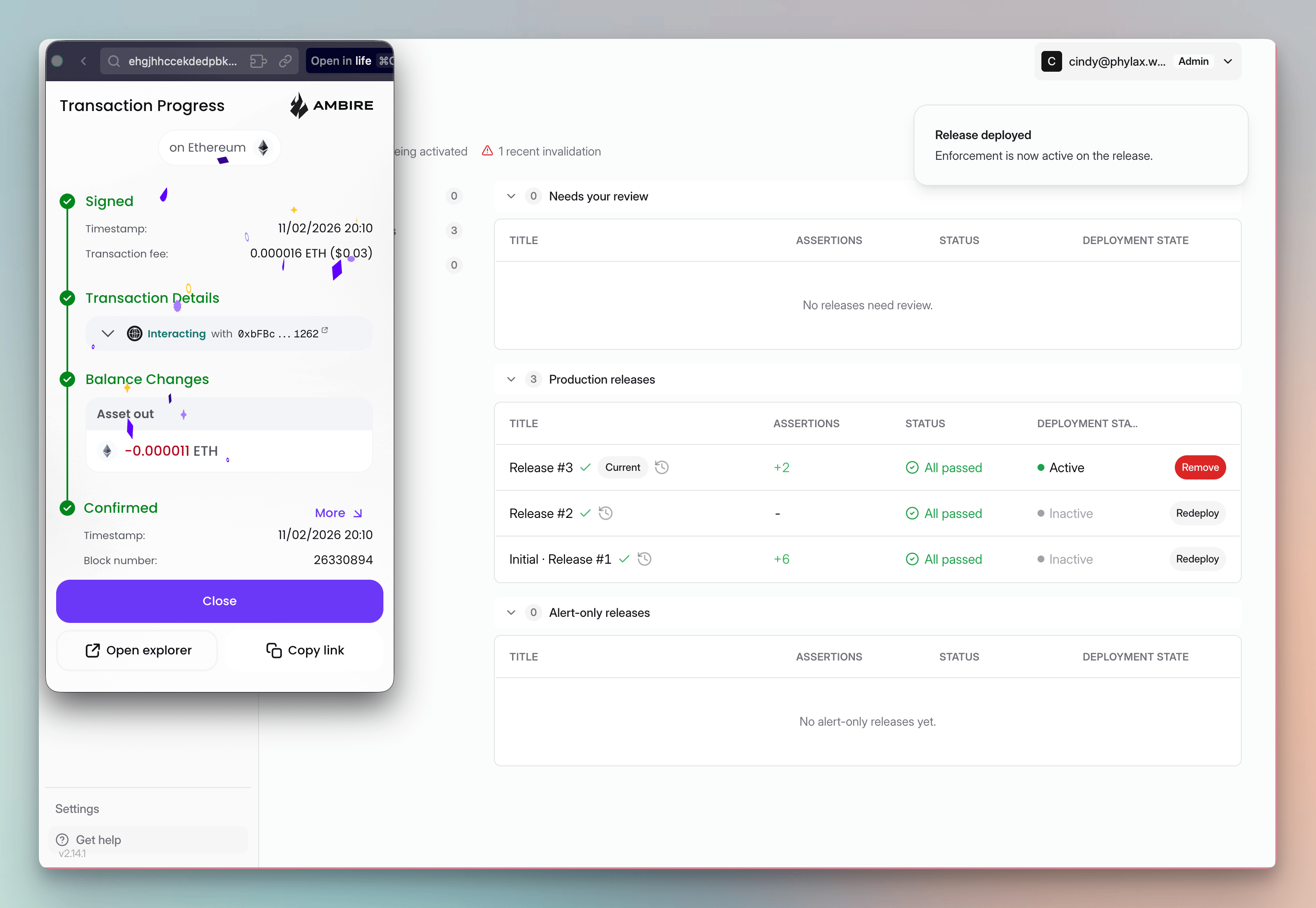
Confirm the deployment transaction in your wallet, then check policy activation
- Awaiting Activation
- Deployed Release

This circuit breaker still has eight blocks remaining before activation
Replace or Remove a Release
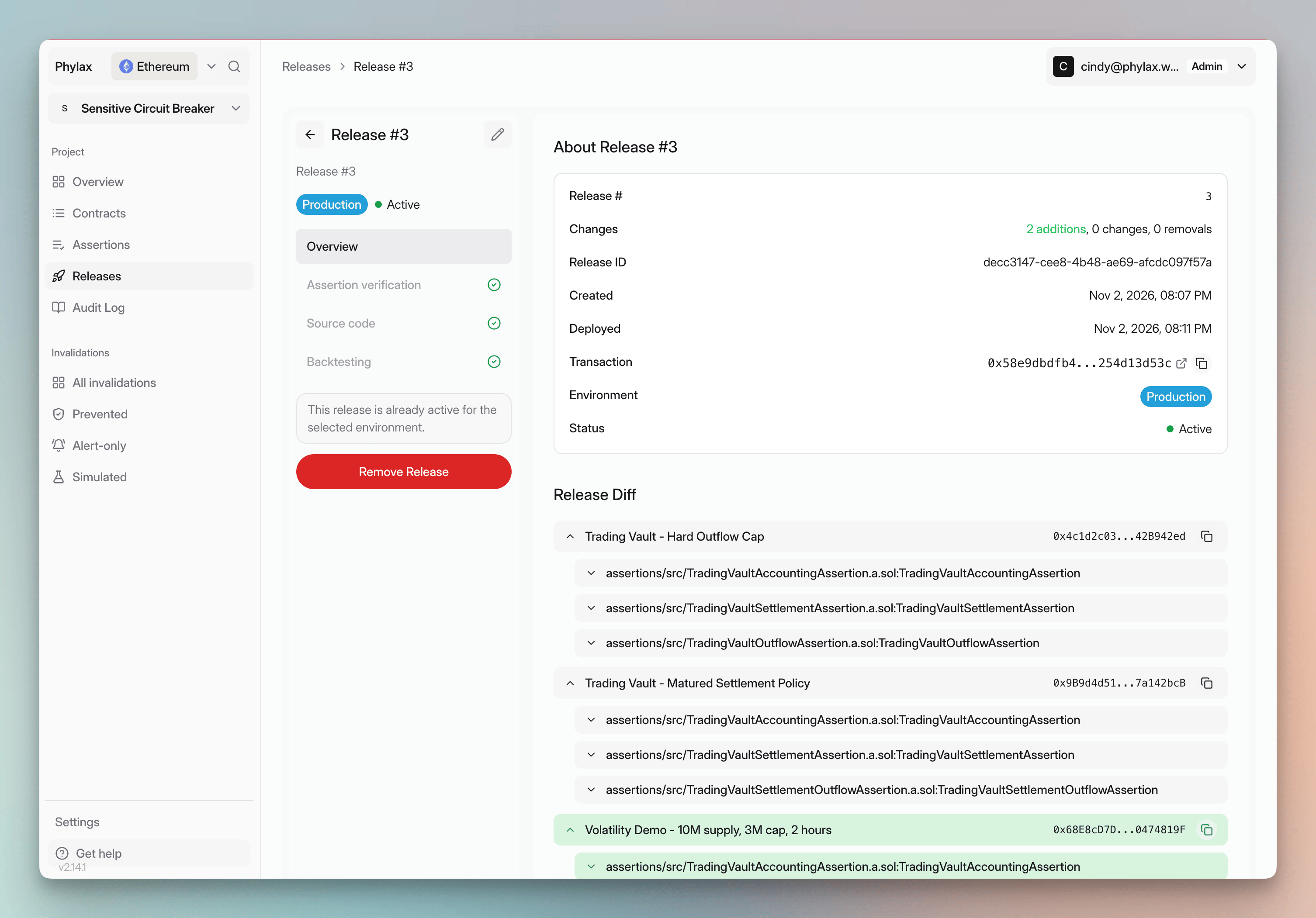
To change or remove an individual assertion, prepare a replacement release with your FDE, developer, or AI coding agent. Include the complete set of policies you intend to keep. Review its diff and checks, then deploy it through the same signing process. Changes take effect after their configured delays. To remove the entire release:- Open the active release and select Remove Release.
- Check the network and the full Assertions to remove list.
- Confirm Remove Release and authorize the onchain transaction with the Protocol Manager.
- Wait for the indexed deactivation blocks and confirm that removal has taken effect.
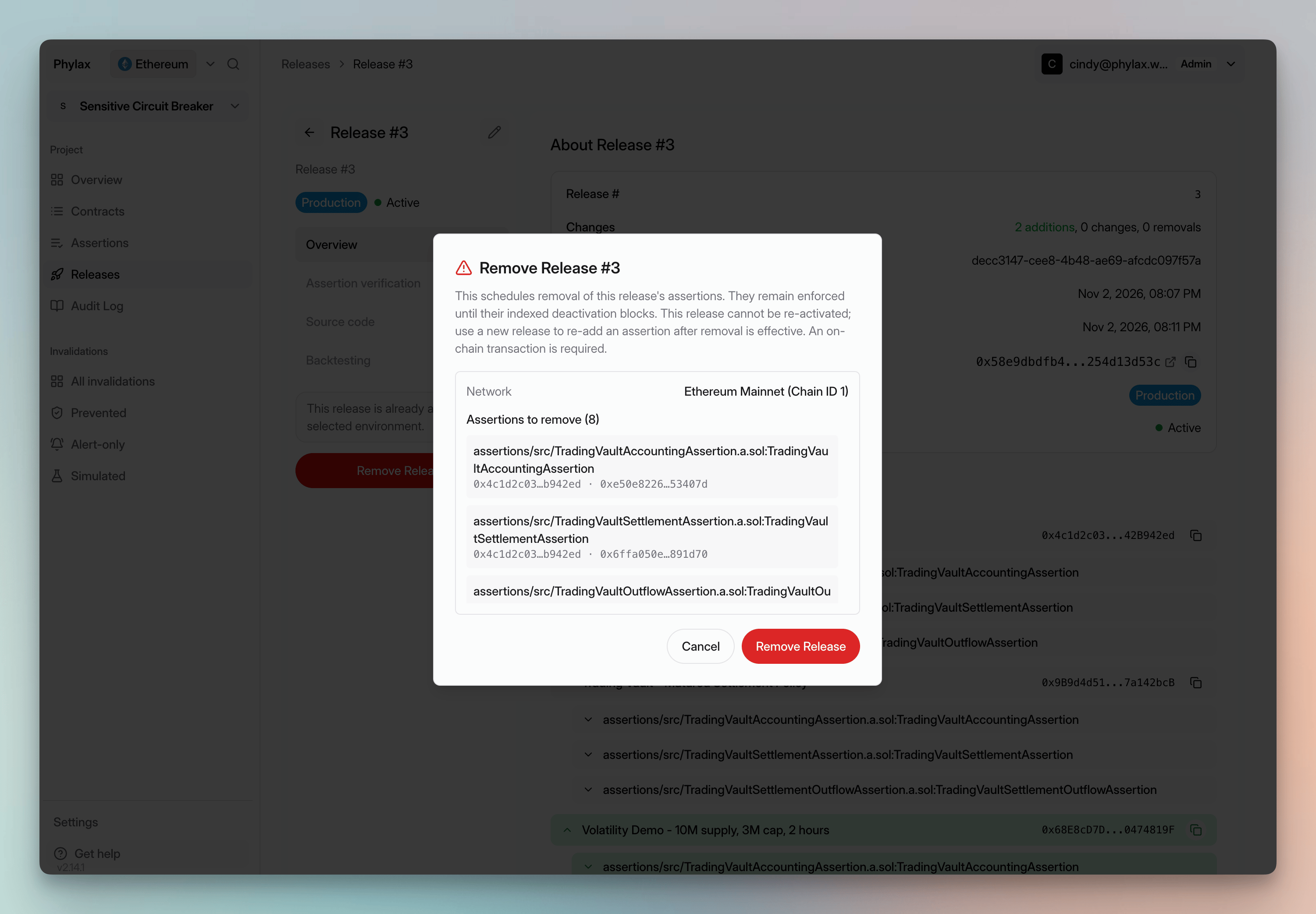
Remove Release schedules removal of all assertions in the release