

1. Find the Event
Open All invalidations, filter by assertion name, and select an event. Check its category: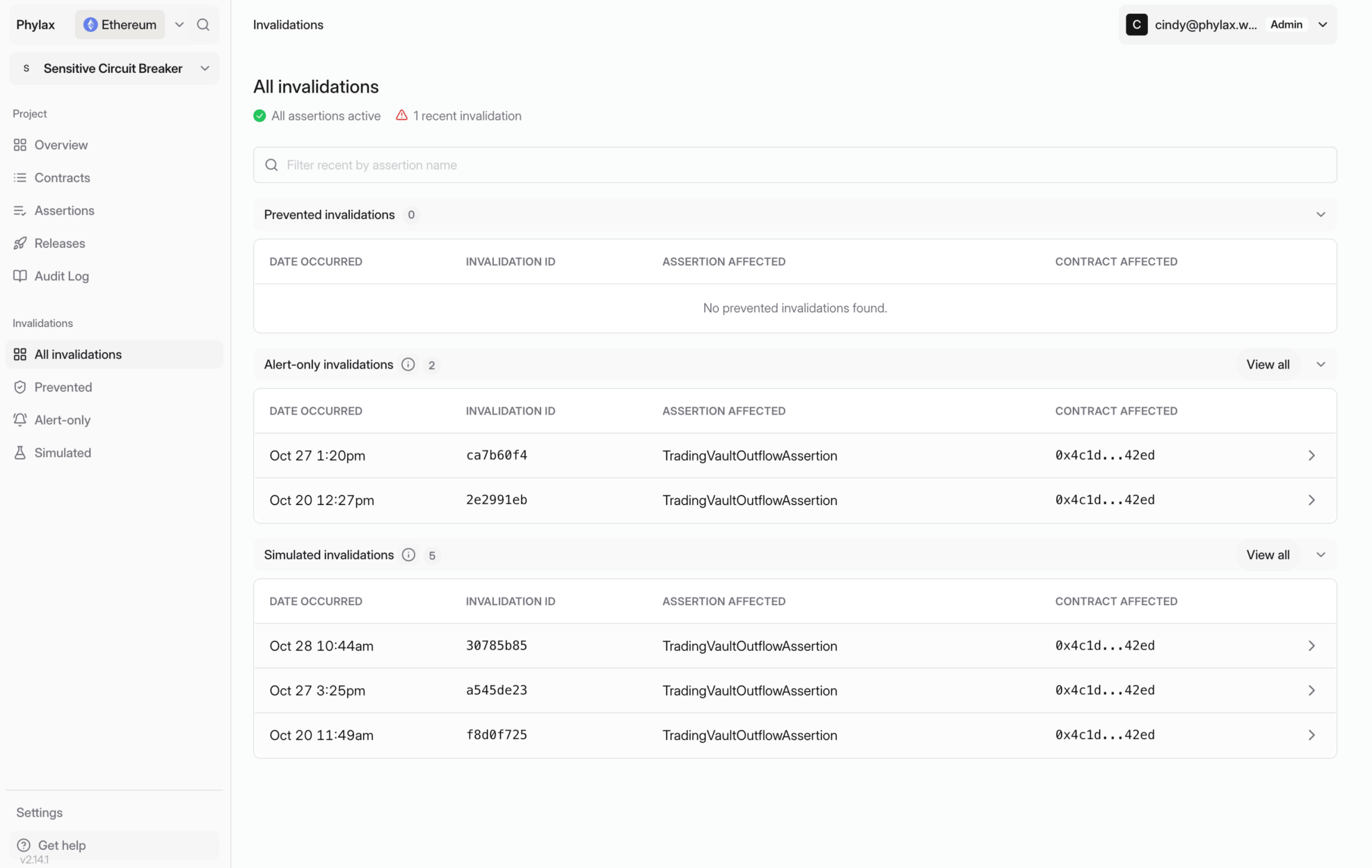
Invalidations are grouped by outcome; this example has alert-only and simulated events
2. Read the Rejection Reason
Open the transaction replay. In Replay overview, check the transaction, affected contract, assertion, and rejection reason. What changed shows transfers and other events from the replay.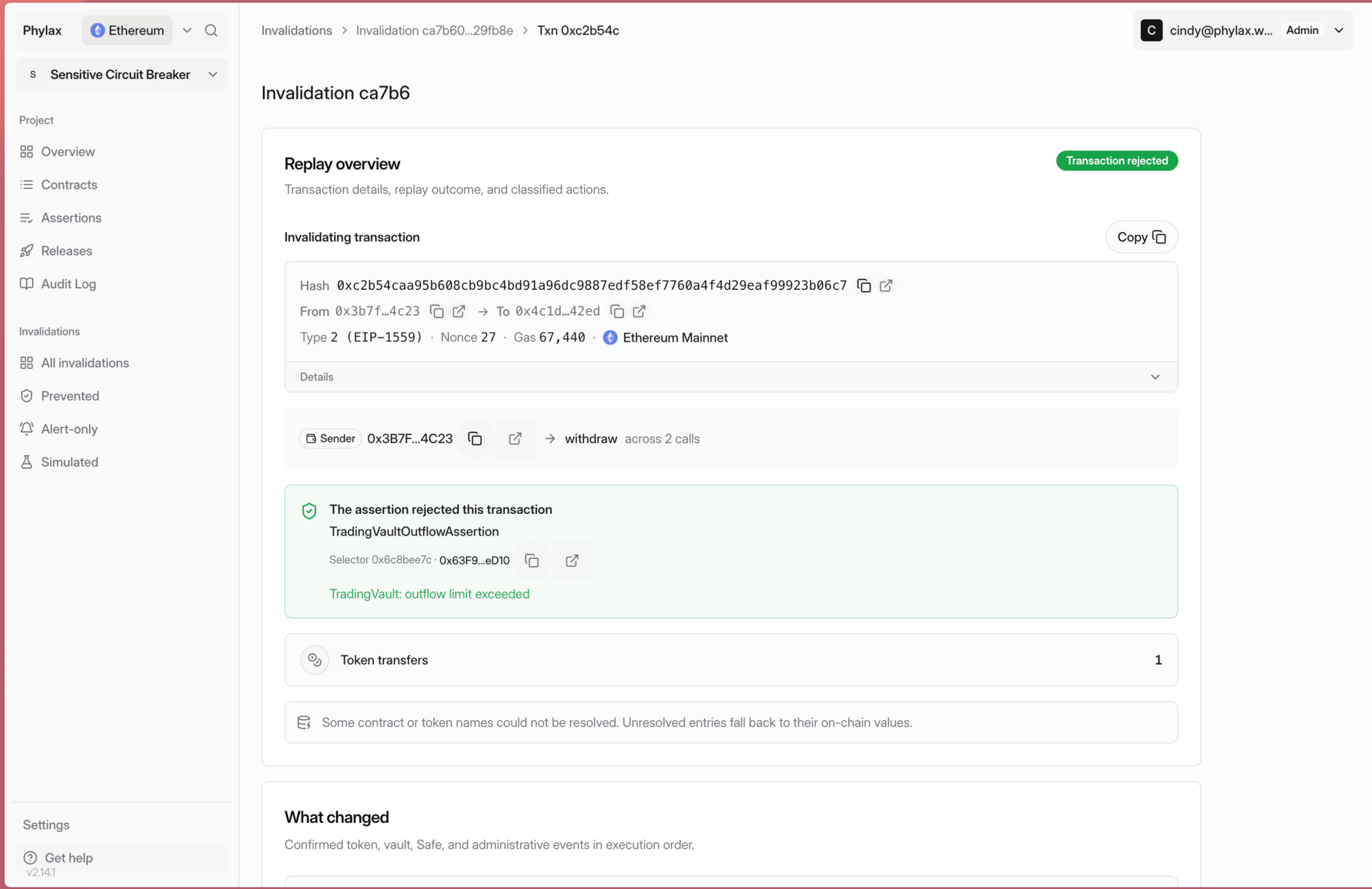
The replay identifies the assertion and its outflow-limit rejection reason
3. Compare Execution Evidence
Expand Transaction Execution and Assertion Evaluation under Execution evidence. Follow the protocol calls, then inspect the assertion that rejected their outcome. In this example, the withdrawal and token transfer succeed in the replay.TradingVaultOutflowAssertion then reads outflowContext and getErc20Transfers and rejects the result.
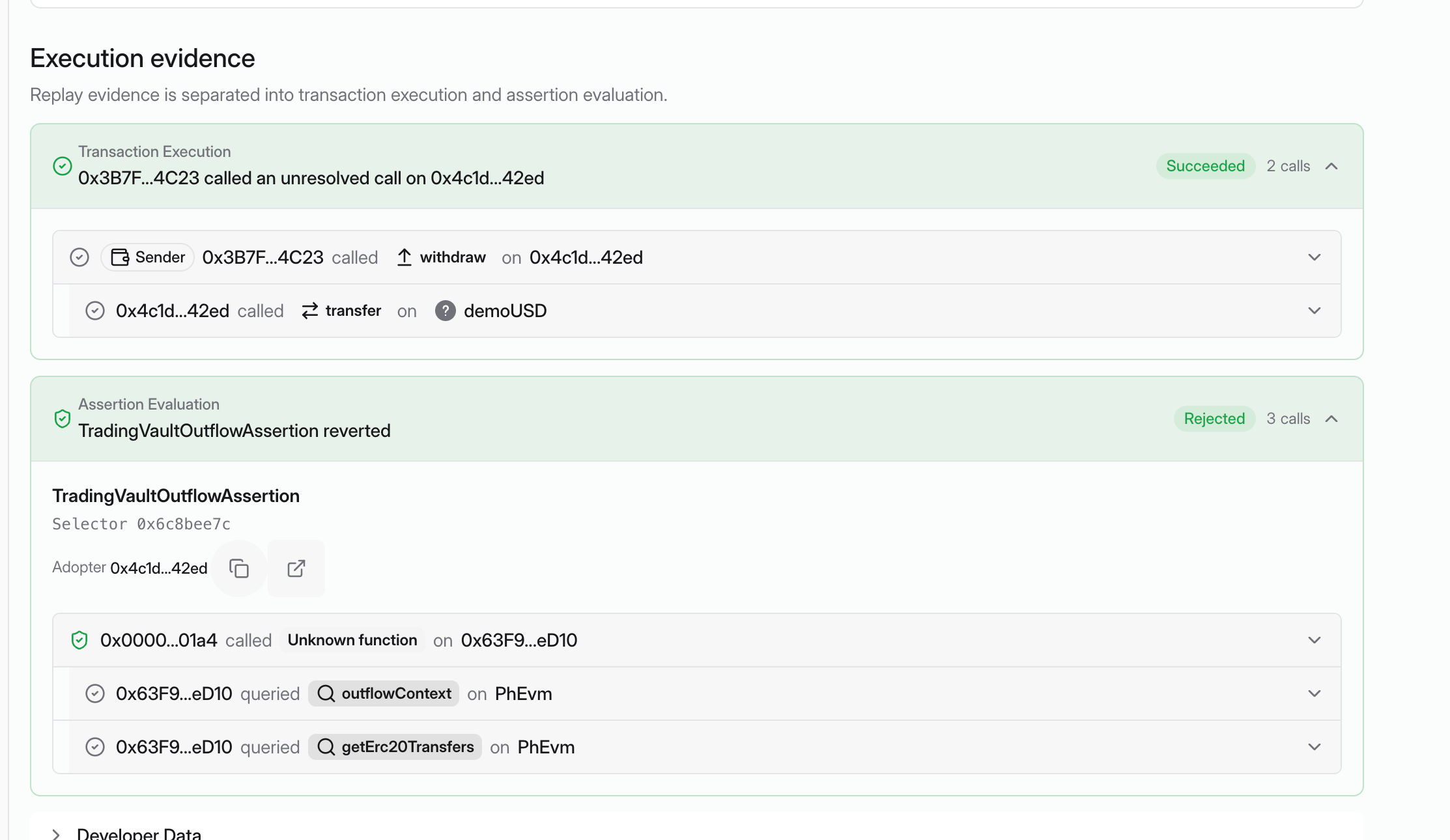
The protocol calls succeed in the replay; the assertion evaluation rejects their outcome
4. Inspect the Raw Traces
Expand Developer Data. Compare Raw Transaction Trace with Raw Assertion Trace to inspect call arguments, return values, storage changes, and the assertion’s revert reason. The assertion trace below ends withTradingVault: outflow limit exceeded. Use the copy button to share the relevant trace with your FDE.
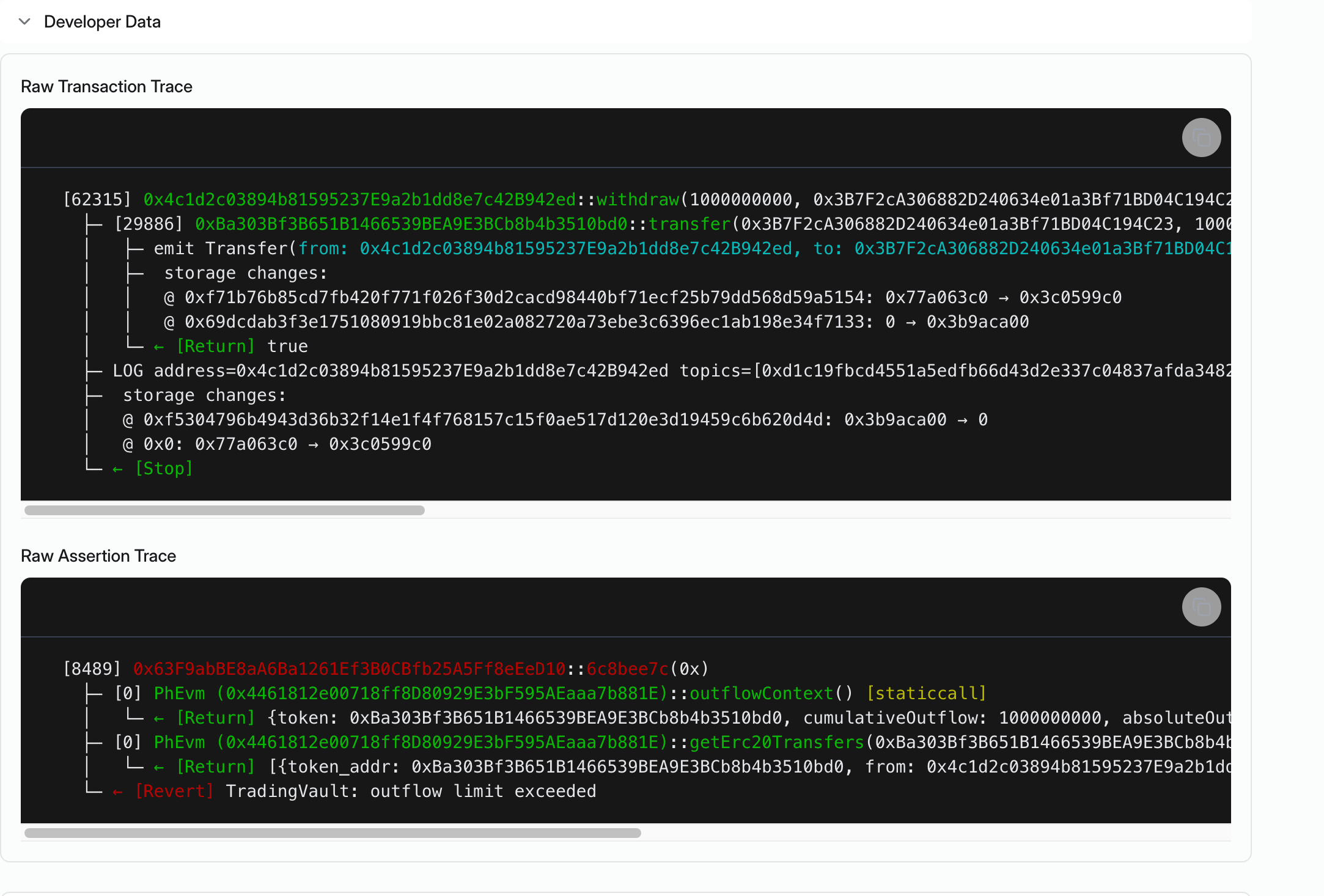
The raw assertion trace ends with the outflow-limit rejection